Edit strategies. Configure inputs.
Work with your local Python files in the code editor. Adjust strategy inputs, execution settings, and market data; save presets for the next experiment.
Run historical strategies locally. Model execution costs,
inspect trades and drawdown, and optimize parameters.
Add Studio for a visual Python backtesting workspace.
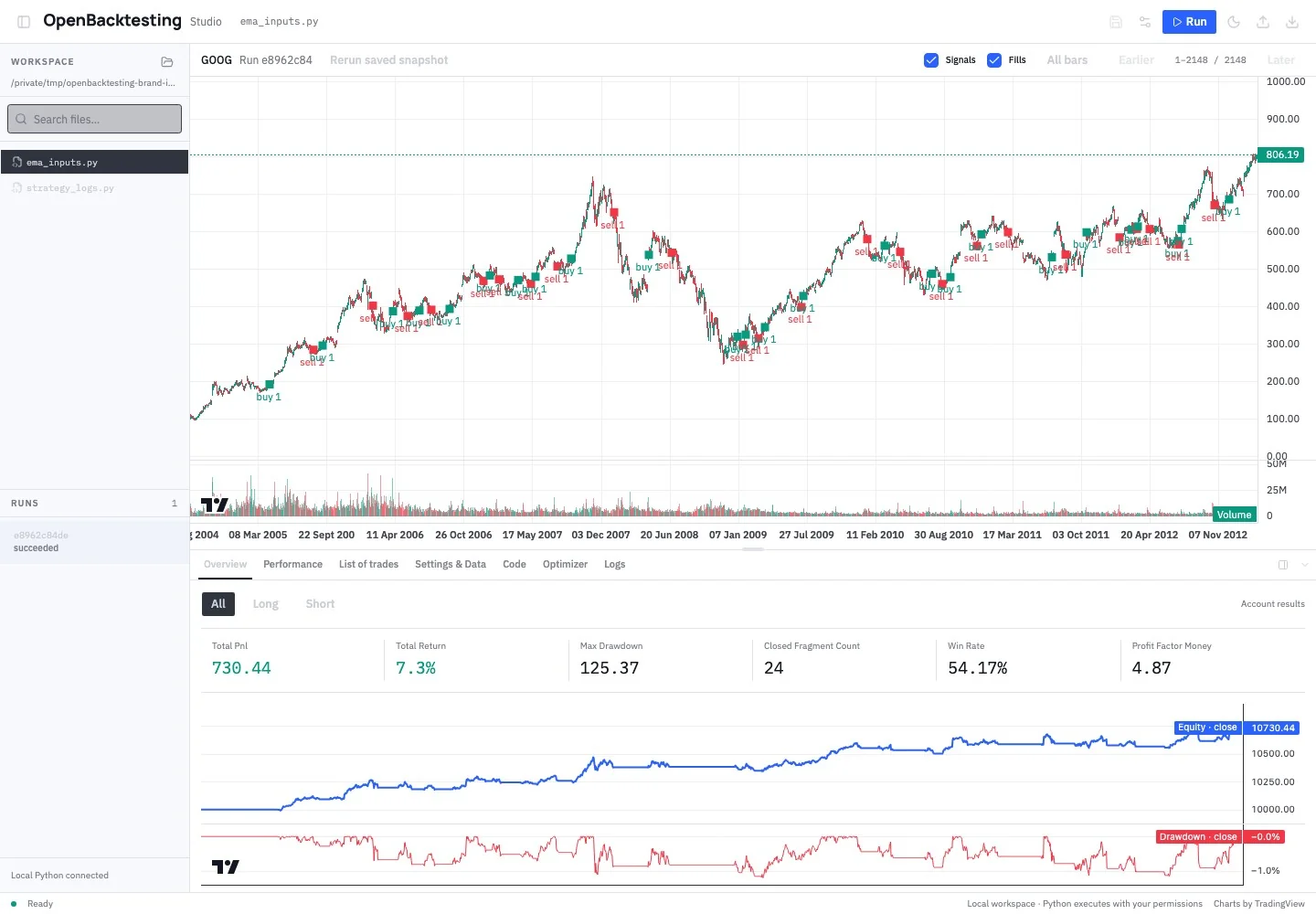
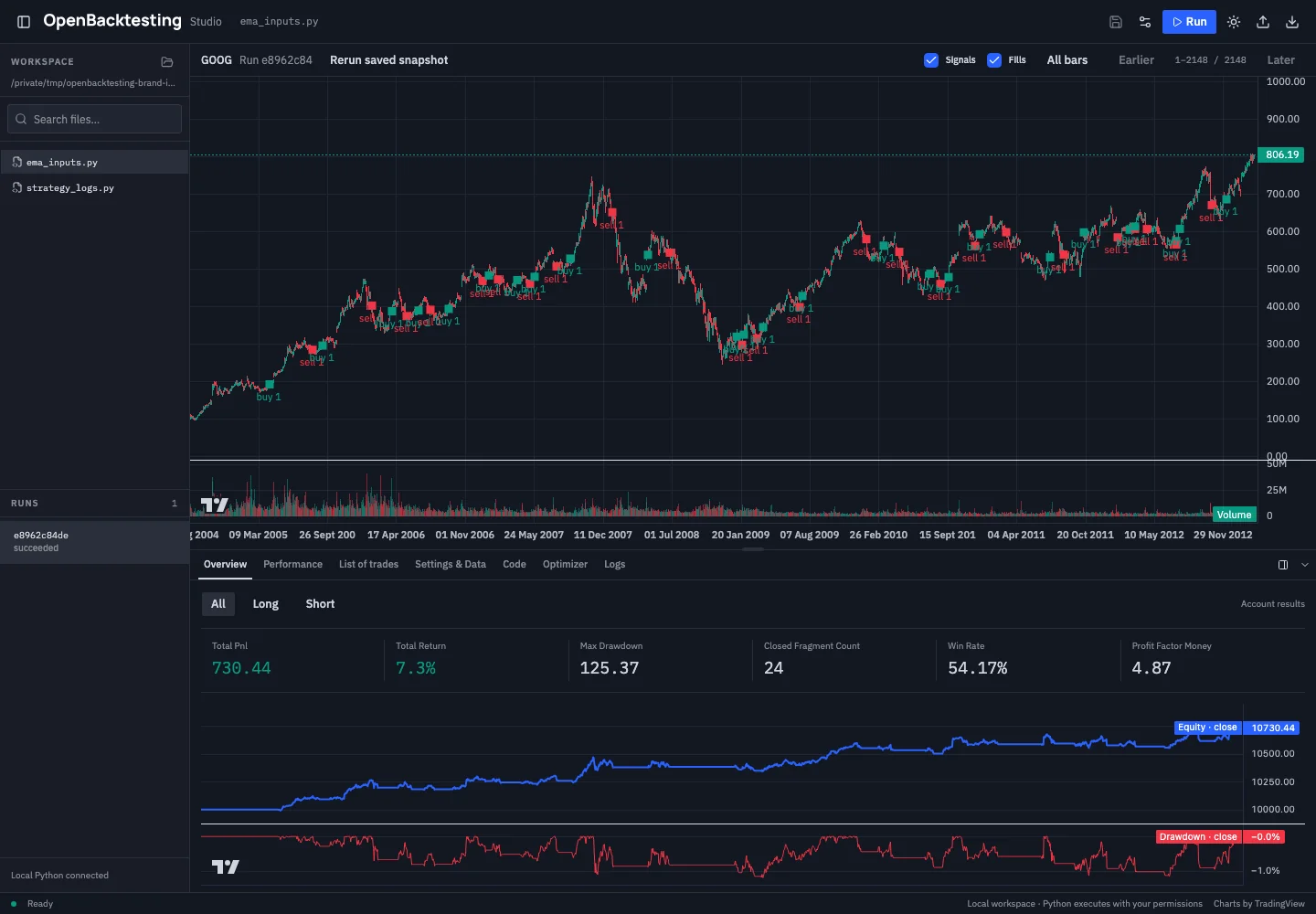
YOUR LOCAL RESEARCH WORKSPACE
A local backtesting dashboard
for Python strategies.
Studio brings visual backtesting to your browser. Edit local Python strategies, configure a run, and explore charts and reports in one workspace, powered by the OpenBacktesting framework.
Install & launch StudioOne-command installation for macOS. The installer prepares everything and opens Studio. Installed separately from the framework.
Work with your local Python files in the code editor. Adjust strategy inputs, execution settings, and market data; save presets for the next experiment.
Inspect candlesticks, indicators, signals, and fills alongside equity and performance reports. Locate trades on the chart and inspect saved strategy logs.
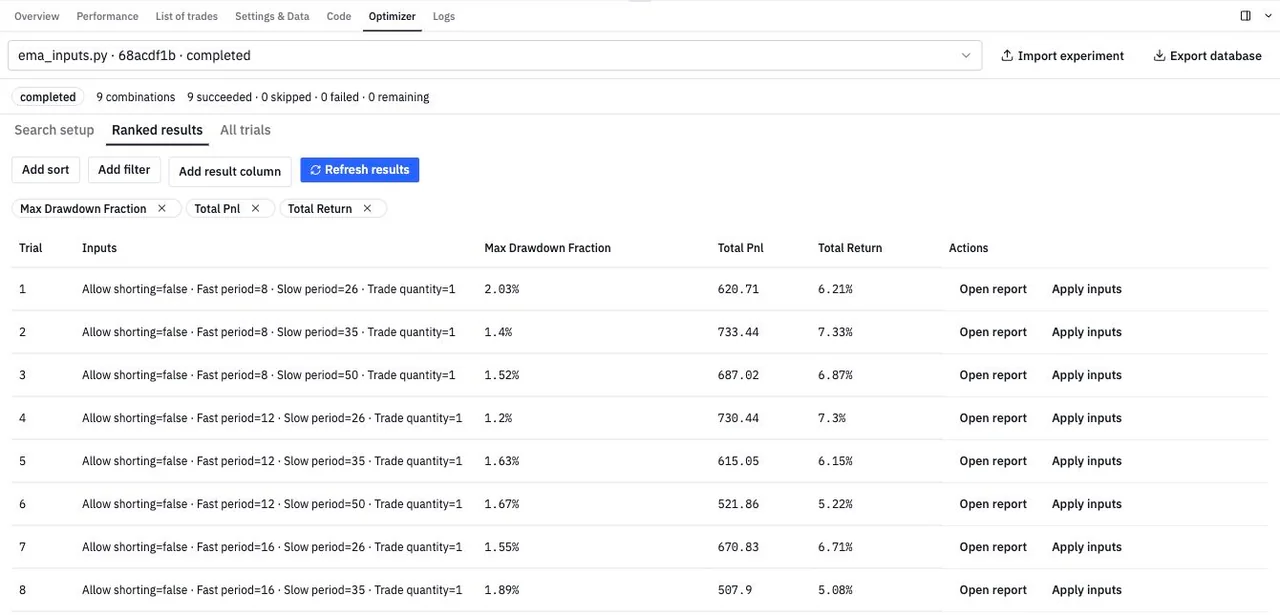
Preview parameter combinations, run an optimization, and sort or filter saved trials. Apply a trial’s inputs to a regular backtest to inspect its chart.
Reopen saved runs without executing the strategy again. Export result archives, choose whether to include source and data, and open shared results in a read-only viewer.
INSIDE STUDIO
From the first signal to the final report.
Explore six views of the same research workspace.
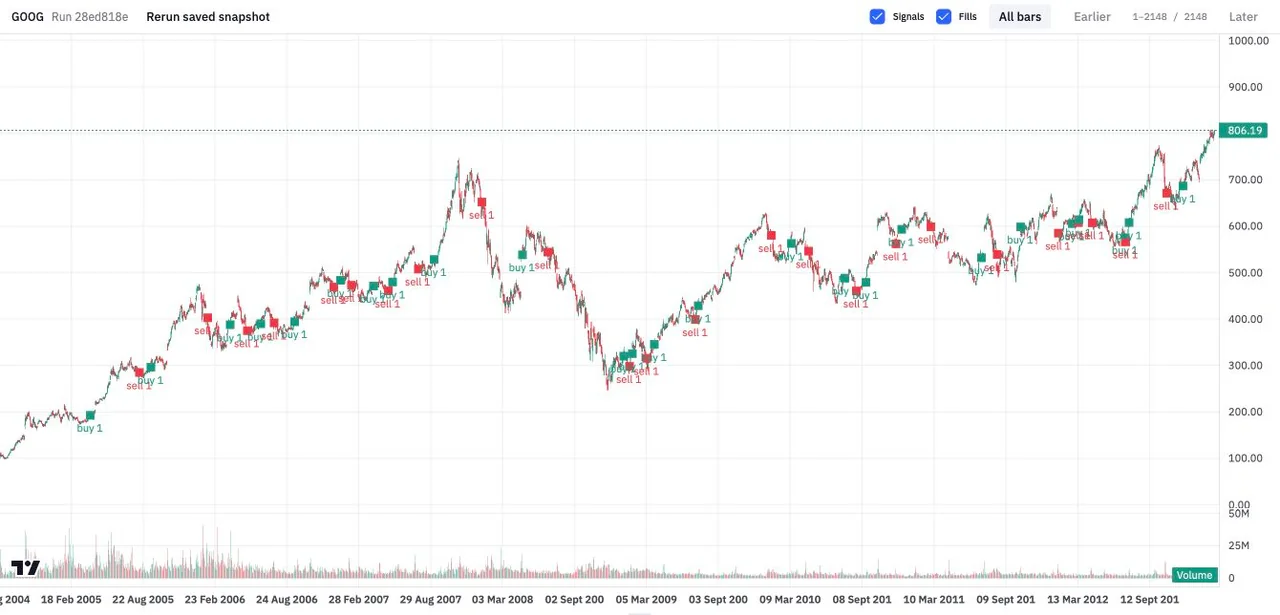
01Market chart
Follow price, volume, strategy signals, and trade fills together on the market chart.
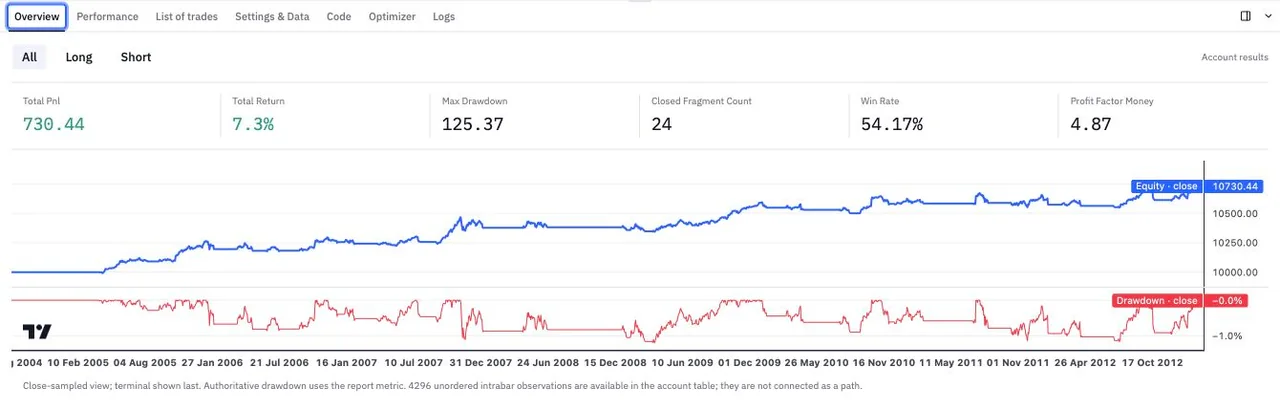
02Overview
Read the equity curve and drawdown alongside return, win rate, and profit factor.
03Performance
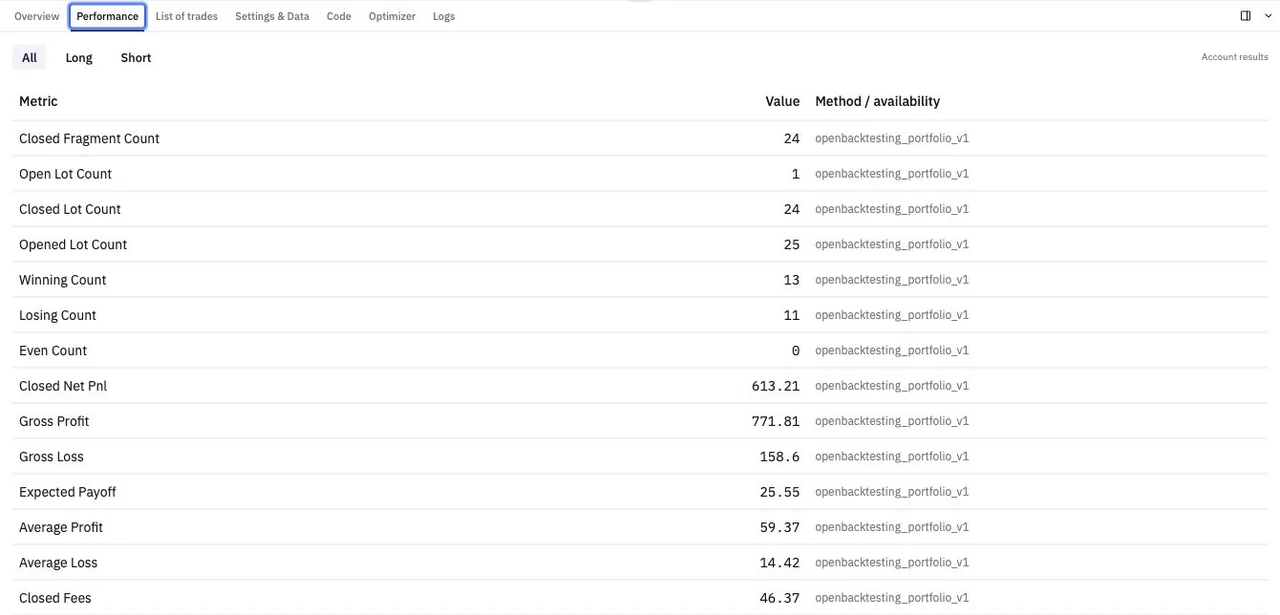
Inspect performance metrics with their calculation methods and availability shown beside each value.
04List of trades
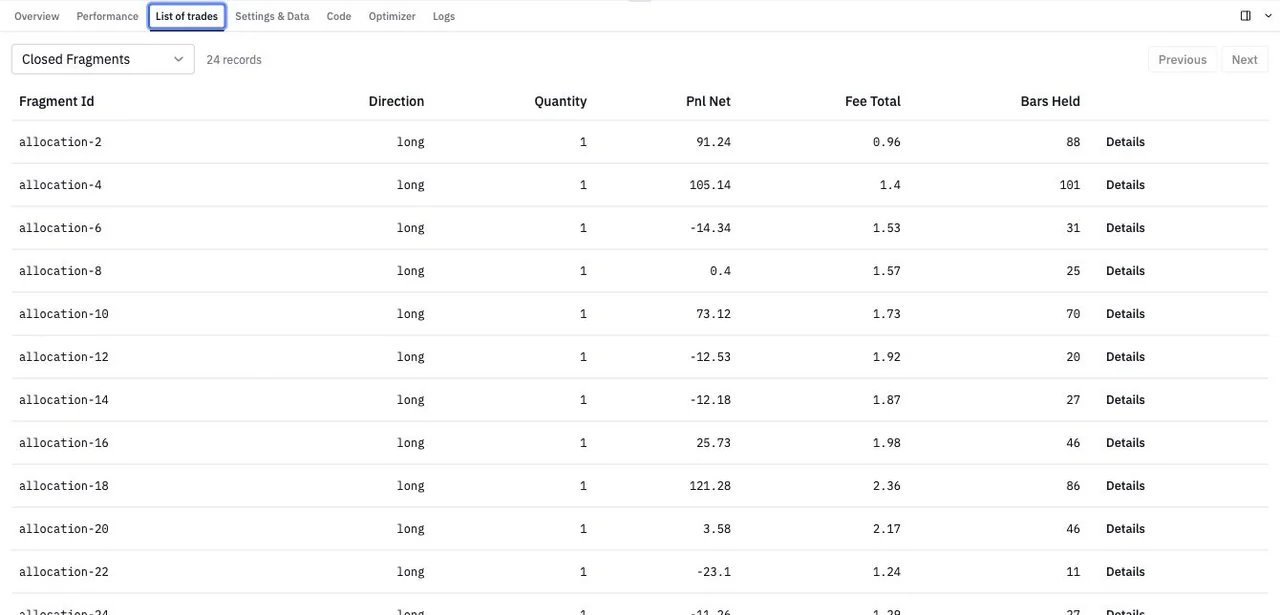
Review position direction, quantity, net P&L, fees, and holding time, then open a trade’s details.
05Optimizer
Review saved trials, compare return and drawdown, and apply a trial’s inputs to a regular backtest.
06Code
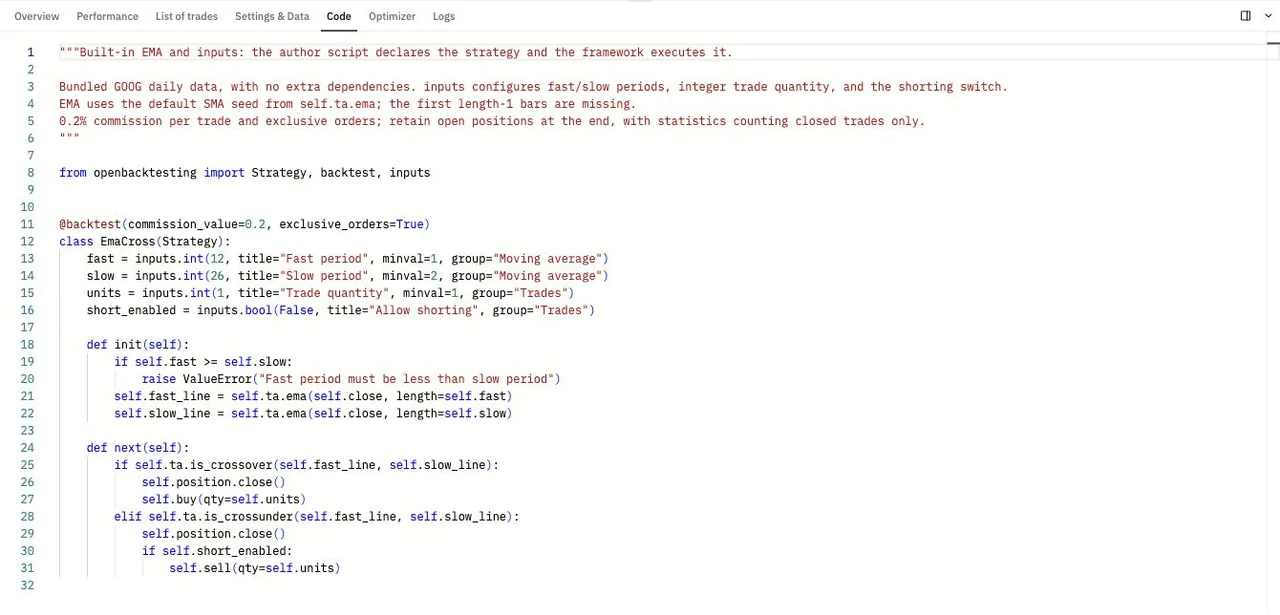
Edit local strategy files with syntax highlighting, declared inputs, and your trading rules in view.
Real Studio screenshots · Bundled GOOG example · Click any image to enlarge
PYTHON STRATEGY RESEARCH
A Python backtesting library for bar-by-bar strategies,
parameter experiments, and results you can inspect.
Define strategies bar by bar. Work with built-in indicators, explicit position sizing, and execution costs on a single instrument.
Write a strategyinit()→next()→run()Explore a grid of possibilities or use optional SAMBO optimization. Compare candidates and save experiments for later analysis.
Explore optimization51020slow2040Inspect orders, trades, equity, and risk. Take pandas results and Portfolio reports into your own notebooks and charting tools.
Understand the resultsequitytradesriskPurpose-built for historical, single-asset research.
Know the model’s boundariesAN IDEA, EXPRESSED IN CODE
Two moving averages. A crossover.
A simple place to start asking better questions.
Define your rules, compare parameters, then inspect the full history behind each result. The example uses bundled GOOG data, so you can get started without a data download.
Walk through your first backtestOpenBacktesting handles the historical execution, accounting, and results.
from openbacktesting import Backtest, Strategyfrom openbacktesting.test import GOOGclass SmaCross(Strategy): fast = 10 slow = 20 def init(self): self.fast_sma = self.ta.sma(self.close, length=self.fast) self.slow_sma = self.ta.sma(self.close, length=self.slow) def next(self): if self.ta.is_crossover(self.fast_sma, self.slow_sma): self.position.close() self.buy(percent=95) elif self.ta.is_crossunder(self.fast_sma, self.slow_sma): self.position.close() self.sell(percent=95)if __name__ == "__main__": bt = Backtest(GOOG, SmaCross, cash=10_000, commission=0.002, end_policy="close_at_last_close") result = bt.run() print(result[["Return [%]", "# Trades", "Max. Drawdown [%]"]])FROM THE RESEARCH DESK
Build your first experiment, choose your tools,
and check the assumptions behind a result.
GET STARTED
Follow a complete workflow from historical data and strategy rules to orders and results.
CHOOSE YOUR TOOLS
Compare data models, execution assumptions and research workflows before choosing a framework.
CHECK YOUR DATA
Check when information becomes available and keep future observations out of past decisions.
READ THE RESULTS
Trace a decline from its equity peak to its trough, and inspect the recovery period.
YOUR NEXT EXPERIMENT STARTS HERE
Clone the source. Run your first strategy.
Let the evidence lead from there.
git clone https://github.com/lucidcog/openbacktesting.gitcd openbacktestinguv sync --lockeduv run --locked python examples/advanced/native_run.pySource installation · Python 3.12–3.14 · Install uv ↗
OpenBacktesting is an open-source Python framework for historical backtesting, parameter optimization, and strategy research. Write strategy rules, simulate their execution on historical market data, and inspect trades, equity, and risk statistics. The optional Studio adds a local browser workspace for editing strategies and exploring visual backtest results.
Use OpenBacktesting for historical, single-asset research with bar-by-bar Python rules, explicit execution costs, and inspectable orders, trades and equity. Work with pandas results in a notebook, or add Studio for a local visual workflow. The Python backtesting library comparison explains the data, asset and execution questions to check when choosing a tool.
Studio is an optional local browser interface for Python strategy editing, visual backtesting, and parameter experiments. It is installed separately; the framework works without it. On macOS, one installation command prepares all dependencies and opens Studio. Follow the Studio installation guide for the command. Next time, use the double-click launcher. Studio runs on your computer.
Yes. Pass a pandas DataFrame with Open, High, Low, and Close columns. Volume is optional unless an indicator needs it. Each backtest models one asset in a single settlement currency. See the market data guide for requirements.
Use Python 3.12–3.14, clone the GitHub repository, and run uv sync --locked. You can also install the checked-out source with python -m pip install .. Add the optimize extra for parameter searches. The commands above run a complete bundled example.
Studio includes interactive charts, indicators, trade markers, equity curves, and backtest reports. The Python framework can also export results and plotting data for your own tools. OpenBacktesting focuses on historical research and does not include a live-trading engine. The interactive example on this website displays precomputed framework results. Read the current scope and limitations.